
Family CGM monitoring: follow a loved one's readings together
Parents, partners, grandparents and carers can all follow the same person's CGM readings on their own iPhone, each with their own alerts. One Premium subscription covers the whole family.
How to set it up
- Install Sweet Dreams on each family member's iPhone.
- Everyone signs in with the same sharing account for the person you look after. Your device's page says which account that is, for example LibreLinkUp for FreeStyle Libre or the wearer's Dexcom account for Dexcom.
- Each person sets up their own alerts in Settings → Notifications.
- Use the Message Group button on the Home tab to ping everyone following the same person, or to let them know you're taking care of it.
One subscription for the whole family
Premium is shared two ways, so you can choose whichever suits your family:
- Apple Family Sharing: one subscription covers everyone in your Apple family.
- The same CGM account: everyone signed in to the same sharing account gets Premium.
If more than one person in your family has diabetes, Family Sharing also means each of them can have Premium to follow their own readings. Alerts are free for everyone either way.
Everyone gets their own alerts
Each person sets their own thresholds and chooses how each alert reaches them: Regular, Time Sensitive, or Critical, which plays a sound even when the phone is muted and overrides Focus modes such as Sleep. A parent might want Critical lows overnight, while a grandparent only wants very low and very high alerts.
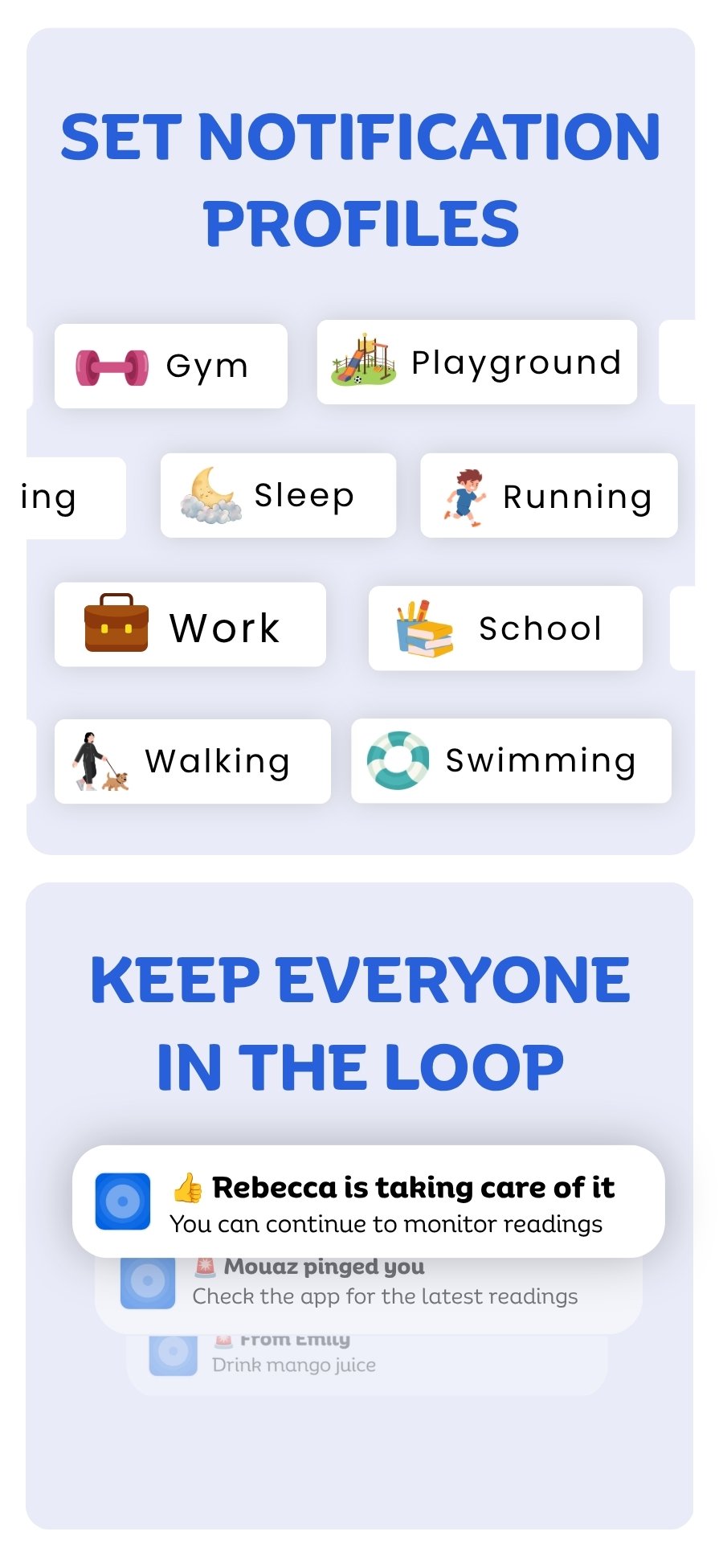
Notification profiles let each person switch all their alert settings at once, for example for school, sleep or sport, and they can switch automatically with Shortcuts. Sweet Dreams alerts are an extra layer: keep the alarms in your CGM's own app turned on too.
Coordinate with Message Group
When an alert goes off, everyone following the same person gets it. Message Group stops two people from dealing with the same low. Tap the Message Group button to ping everyone, or let them know you're taking care of it, and they get a notification with your name. You don't need a separate group chat.
Following more than one person
With FreeStyle Libre, one LibreLinkUp login can follow several people, for example two children, and you can switch between them in Sweet Dreams.
Readings wherever you are
Every family member can see readings on their Lock Screen and Dynamic Island, Apple Watch, CarPlay, widgets and Mac or iPad.
Common questions
Do we each need our own subscription?
No. One Premium subscription is shared through Apple Family Sharing, or with everyone signed in to the same CGM sharing account. Alerts are free for everyone.
Does each person get their own alerts?
Yes. Everyone sets their own thresholds, alert priorities and notification profiles on their own iPhone.
Can grandparents or other carers follow too?
Yes. Anyone you trust can install Sweet Dreams on their iPhone and sign in with the same sharing account.
Can I follow two children?
With FreeStyle Libre, yes: one LibreLinkUp login can follow several people, and you can switch between them in Sweet Dreams.
How do we avoid everyone getting up for the same alert?
Use Message Group. One person taps to say they're taking care of it, and everyone else gets a notification so they know it's handled.
Does the person with diabetes need an iPhone?
No. Sweet Dreams reads readings from the CGM's sharing service, so the person wearing the CGM keeps using their CGM's own app. Everyone following them needs an iPhone, iPad or Mac to use Sweet Dreams.
Is there an Android version?
Not yet. Join the Android waitlist to hear when it's ready.
Does Sweet Dreams replace my CGM's alarms?
No. Sweet Dreams is not a medical device. Keep the alarms in your CGM's own app turned on, and treat Sweet Dreams as an extra layer for the people who look after you.
Family & caregivers with your device
 Free on the App Store for iPhone, Apple Watch, iPad and Apple silicon Macs.
Last updated 2026-10-12