
How to get low, high and critical alerts for FreeStyle Libre 3 and 2
Yes. Sweet Dreams sends free low, high, rise, drop and missed-reading alerts for Libre, and any of them can be a Critical alert that plays a sound even when your iPhone is muted or in a Focus mode such as Sleep. You connect with a LibreLinkUp account (not LibreLink).
- Works with
- FreeStyle Libre 3, FreeStyle Libre 3 Plus, FreeStyle Libre 2 (where it uploads automatically), FreeStyle Libre 2 Plus
- Sign in with
- a LibreLinkUp account (not LibreLink)
- Updates
- The graph in the app refreshes every minute. The Live Activity refreshes every 5 minutes, or every minute on request.
- Not supported
- Lingo; Libre 2 in regions where it doesn't upload automatically to LibreLinkUp
- Alerts
- Free for everyone
Step 1: Connect Libre to Sweet Dreams
Already follow someone in LibreLinkUp? Skip to the last step.
- Open the FreeStyle Libre app, signed in to your LibreView account. Tap the menu (three lines), then Share or Connected Apps.
- Tap Connect or Manage next to LibreLinkUp, then Add Connection. Enter a name and email address (your own works) and tap Add.
- Install LibreLinkUp. It's a separate app from the FreeStyle Libre (LibreLink) app.
- Open the invitation email, create a LibreLinkUp account, verify your email, then tap Accept on the sharing request.
- In Sweet Dreams, choose FreeStyle Libre and sign in with the LibreLinkUp email and password.
Step 2: Set up alerts
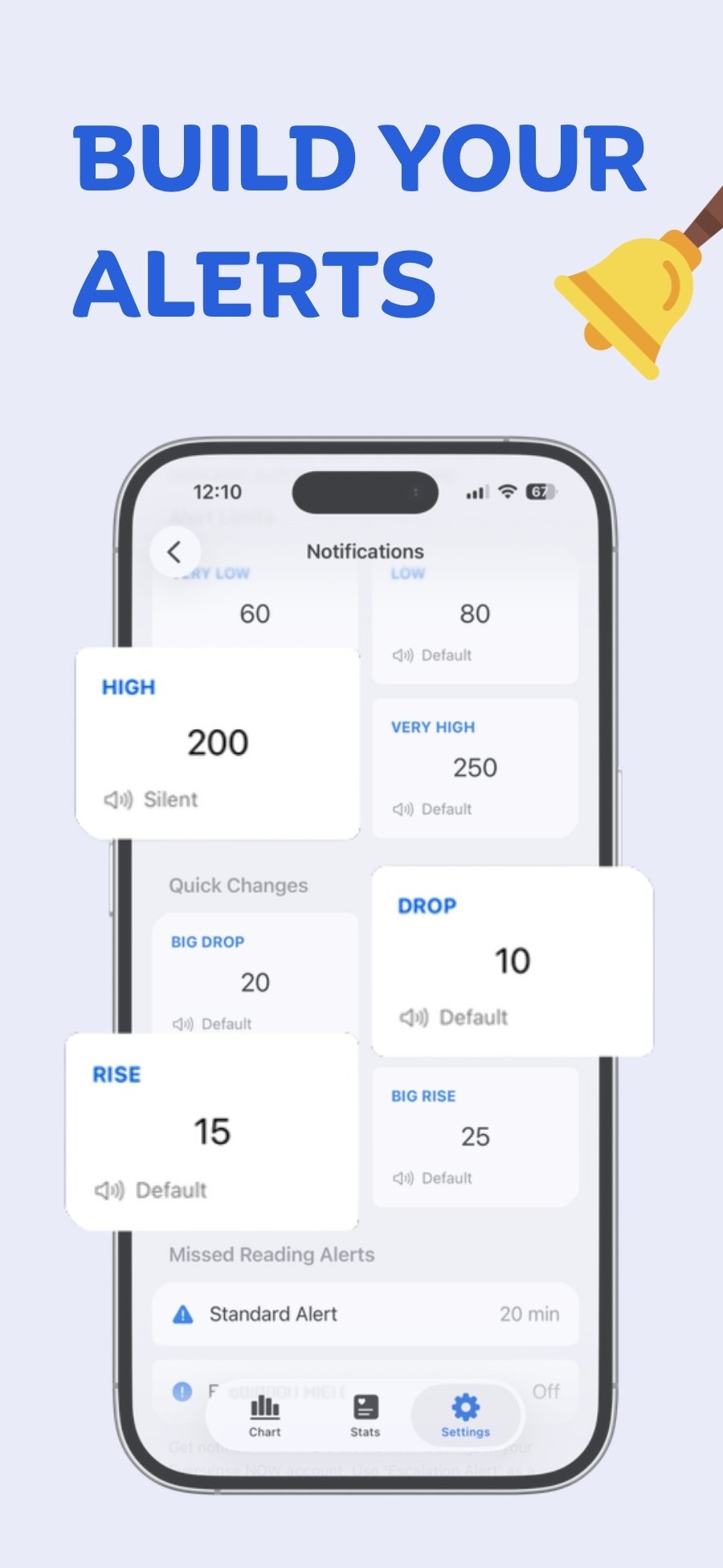
- Go to Settings → Notifications in Sweet Dreams.
- Tap an alert (for example Low) and set its threshold.
- Tap Priority and choose Regular, Time Sensitive (stays on the Lock Screen for an hour) or Critical. Critical alerts play a sound even when your iPhone is muted and override Focus modes such as Sleep. Allow Critical Alerts when iOS asks.
- Set up missed-reading alerts too: a standard alert, plus an escalation if readings still haven't arrived.
Good to know for Libre
- Rise and drop alerts for Libre are based on the trend arrow rather than the size of the change between readings.
- Alerts are sent from our servers, so Sweet Dreams doesn't need to be open.
- Threshold alerts: Very Low, Low, High and Very High.
- Change alerts: Big Drop, Drop, Rise and Big Rise.
- Missed-reading alerts: a standard alert and an escalation alert when no new reading arrives.
- Sweet Dreams alerts are an extra layer. Keep the alarms in your CGM's own app turned on.
- Notification profiles (such as Sleep, Gym or School) let you switch all your alert settings at once, and can switch automatically with Shortcuts.
Common questions
Are alerts free?
Yes. Alerts are free for everyone.
Which Libre account do I sign in with?
A LibreLinkUp (follower) account. Invite a LibreLinkUp follower from the FreeStyle Libre app (your own email works), accept it in LibreLinkUp, then sign in to Sweet Dreams with the LibreLinkUp account.
Do I sign in with LibreLink or LibreLinkUp?
LibreLinkUp. Sweet Dreams signs in as a follower, so the FreeStyle Libre (LibreLink) login won't work.
Does Sweet Dreams work with Lingo?
No. Lingo doesn't share readings through LibreLinkUp.
 Free on the App Store for iPhone, Apple Watch, iPad and Apple silicon Macs.
Last updated 2026-10-12